圖像模型

GPT Image 2.6 Flare

OpenAI

OpenAI 的 GPT Image 2.6 裡主打快速迭代的版本 —— 在請求中點名它,uooki 就用它出圖,而不是用原本會選的那個模型。

用 GPT Image 2.6 Flare 生成
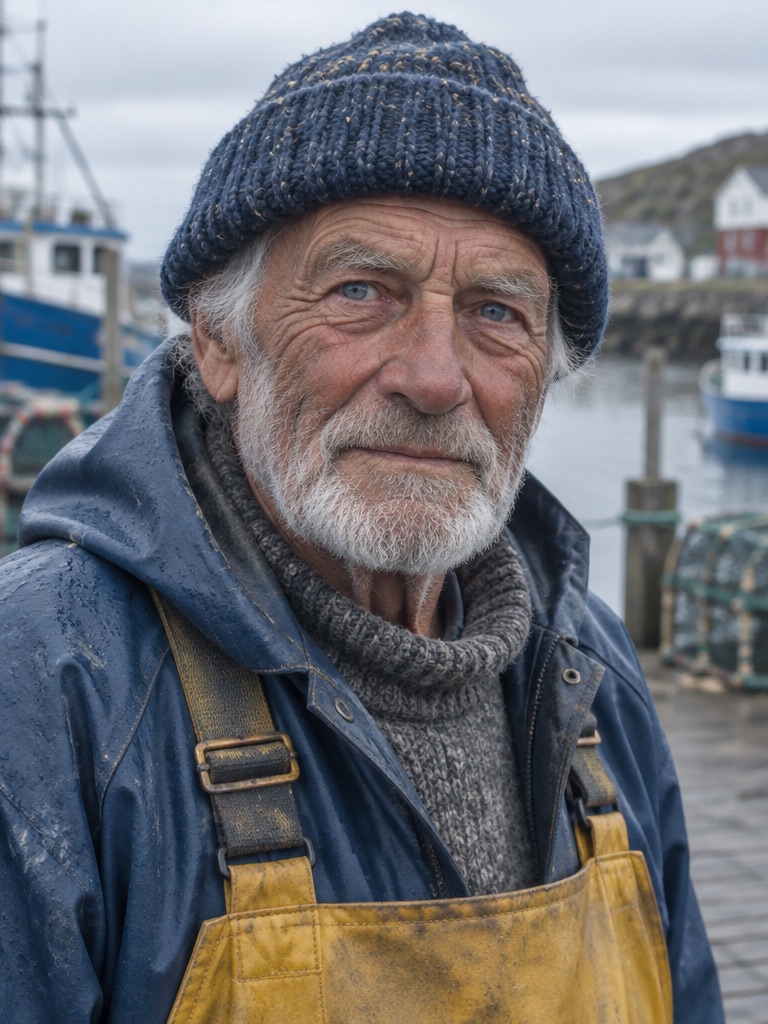
用 GPT Image 2.6 Flare 生成 · 人像
人像提示詞: A close portrait of an invented elderly fisherman with weathered skin, white stubble and a thick knitted wool cap, standing on a wooden harbour dock under soft overcast light. Natural skin texture, shallow depth of field, calm direct gaze, muted blue and grey palette. No text, no logos.
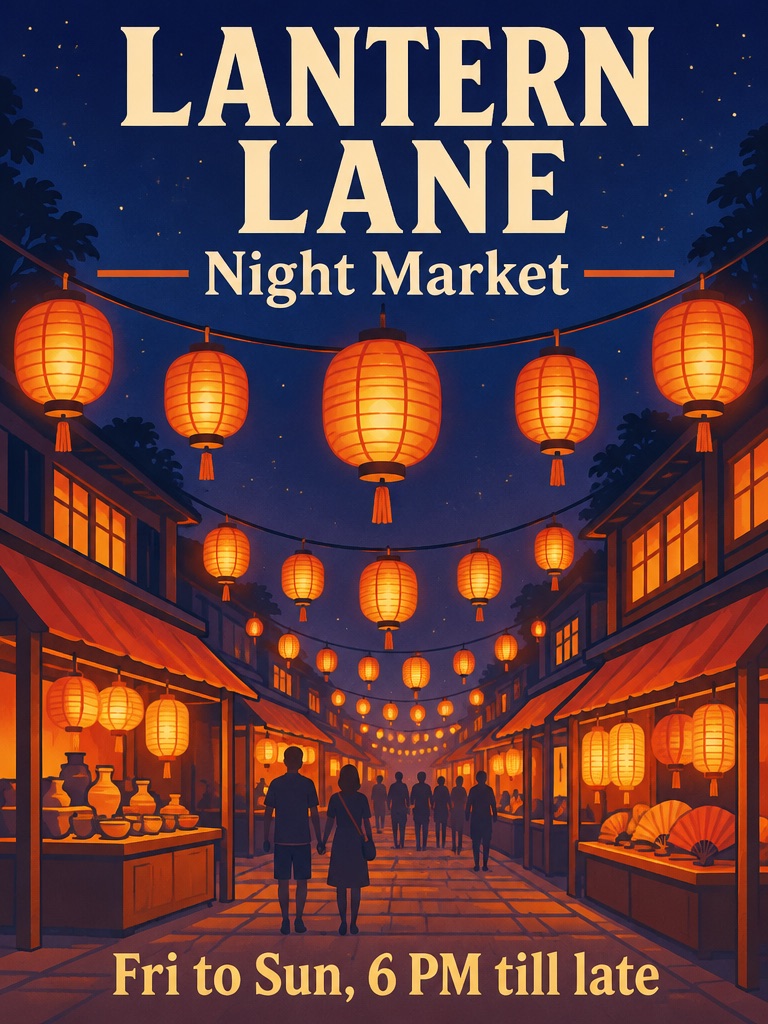
用 GPT Image 2.6 Flare 生成 · 含文字的海報
含文字的海報提示詞: A vertical event poster for an imaginary night market, flat graphic illustration style: a row of glowing paper lanterns above a narrow street, deep indigo sky, warm orange accents. The poster text must read exactly: headline "LANTERN LANE" in large bold capital letters, below it "Night Market" in smaller letters, and at the bottom "Fri to Sun, 6 PM till late". No other text, no logos.
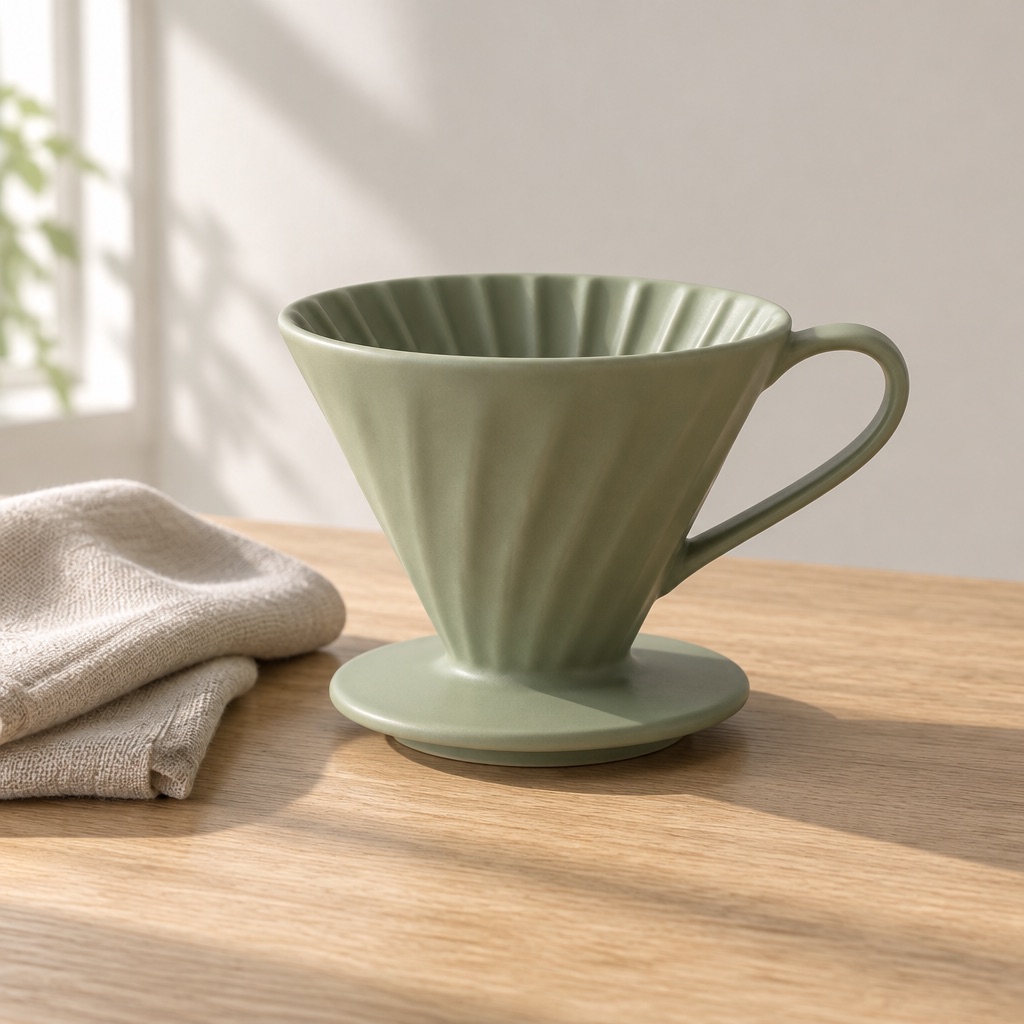
用 GPT Image 2.6 Flare 生成 · 產品圖
產品圖提示詞: Product photograph of a single matte sage-green ceramic pour-over coffee dripper standing on a pale oak table, soft morning window light from the left, gentle long shadow, minimal styling with one folded linen cloth beside it, clean neutral background. No text, no logos, no brand marks.
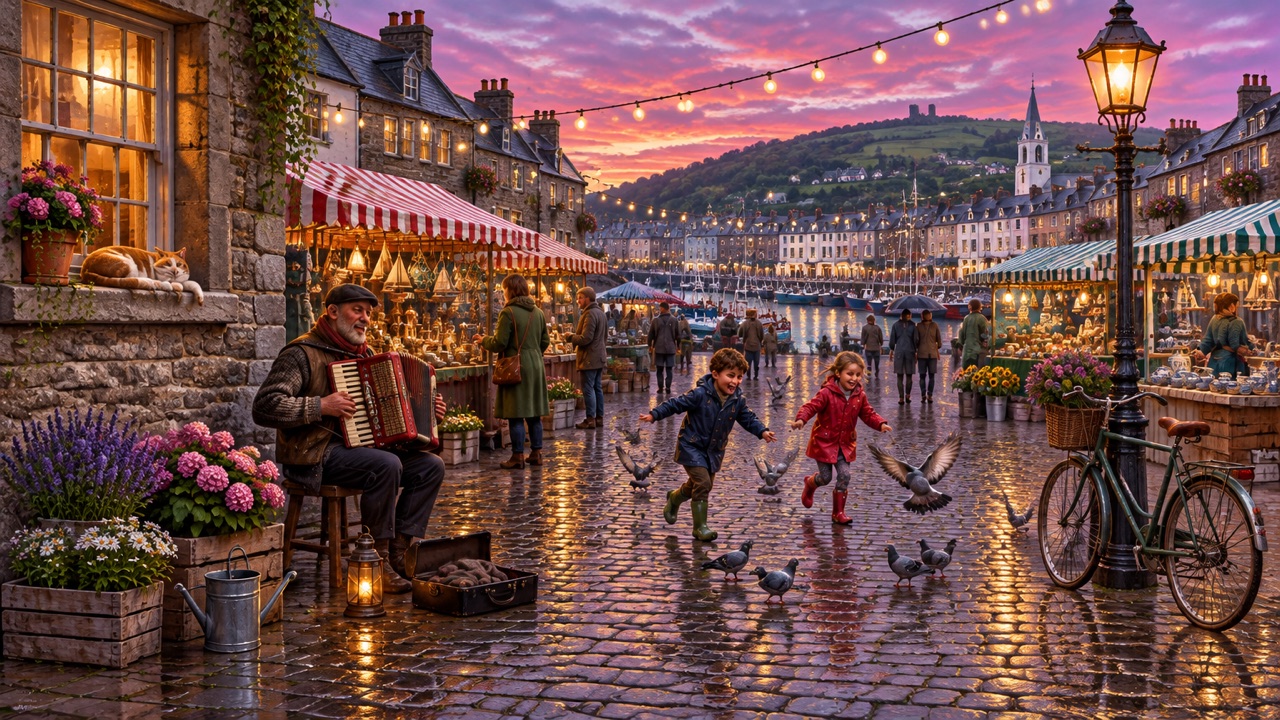
用 GPT Image 2.6 Flare 生成 · 複雜場景
複雜場景提示詞: A wide view of a lively harbour-town square at dusk after rain: market stalls with striped awnings, a street musician playing an accordion, two children chasing pigeons, a bicycle leaning on a cast-iron lamp post, strings of warm bulbs overhead, a cat asleep on a window sill, wet cobblestones reflecting the lights, distant green hills under a pink and violet sky. Many small details, coherent perspective. No text, no logos.

在 uooki 裡使用 GPT Image 2.6 Flare

沒有模型選擇器:在對話裡點名 GPT Image 2.6 Flare,例如「用 GPT Image 2.6 Flare 畫一張包裝樣機」,智能體就會路由過去。

它擅長什麼

  • 同一個想法連著試好幾遍,留下效果最好的那一張
  • 依一句文字指令修改既有圖片,最多可帶 16 張參考圖
  • 日常出圖時,你明確想用 GPT Image 2.6 這一代

什麼情況下不該選它

只有你點名時 uooki 才會用它出圖,預設以 Low 品質檔位,只有你明確要求時才用 Medium 和 High。它只認具名比例、不吃像素尺寸,也沒有遮罩欄位,所以遮罩局部重繪仍留給 GPT Image 2。輸出是 1K 的靜態圖 —— 不提供動圖 GIF 與 SVG 輸出。一次出圖失敗,不會自動換別的模型重試。

GPT Image 2.6 Sunburst

GPT Image 2.6 Sunburst 不再有獨立頁面:它在這一頁裡一併介紹,原本的網址會轉址到這裡。

OpenAI 的 GPT Image 2.6 裡主打細緻畫面的版本 —— 在請求中點名它,uooki 就用它出圖,而不是用原本會選的那個模型。

  • 元素很多、每一處都得出對的細緻構圖
  • 依一句文字指令修改既有圖片,最多可帶 16 張參考圖
  • 一輪一輪改同一張圖:把上一輪的結果當參考圖再傳進去

只有你點名時 uooki 才會用它出圖,預設以 Low 品質檔位,只有你明確要求時才用 Medium 和 High。它只認具名比例、不吃像素尺寸,也沒有遮罩欄位,所以遮罩局部重繪仍留給 GPT Image 2。輸出是 1K 的靜態圖 —— 不提供動圖 GIF 與 SVG 輸出。一次出圖失敗,不會自動換別的模型重試。

什麼時候換別的模型

  • GPT Image 2.5

    每張圖的價格最要緊 —— GPT Image 2.5 在標準檔位上更便宜。

  • GPT Image 2

    你要做遮罩局部重繪,或傳的是精確像素尺寸而不是比例。

規格

類型圖像生成
計費按生成的圖片張數計費。
方案所有方案皆可使用
參考圖最多 16 張
畫幅1:1 · 4:5 · 5:4 · 4:3 · 3:4 · 3:2 · 2:3 · 16:9 · 9:16 · 21:9
圖中文字能渲染清晰可讀的文字

用一句話試試。

說出你想要的內容,並在同一句話裡點名 GPT Image 2.6 Flare。免費方案 $0,用 Google 註冊即送一次性 100 點數,用信箱註冊送 25。